Marketplace Templates
The Marketplace lists 36 pre-configured open-source applications — databases, monitoring tools, self-hosted alternatives to common SaaS products — that deploy as a Docker image with environment variables and volumes already set up. It's a third way to create an application, alongside a Git repository or a manual image.
Source: Template definitions (image, port, environment variables, volumes) are pulled from Dokploy's and Coolify's public template repositories, filtered down to apps that run as a single container — Kuberfy doesn't support multi-container Compose stacks yet. The result is committed toapps/api/src/data/marketplace-templates.json.
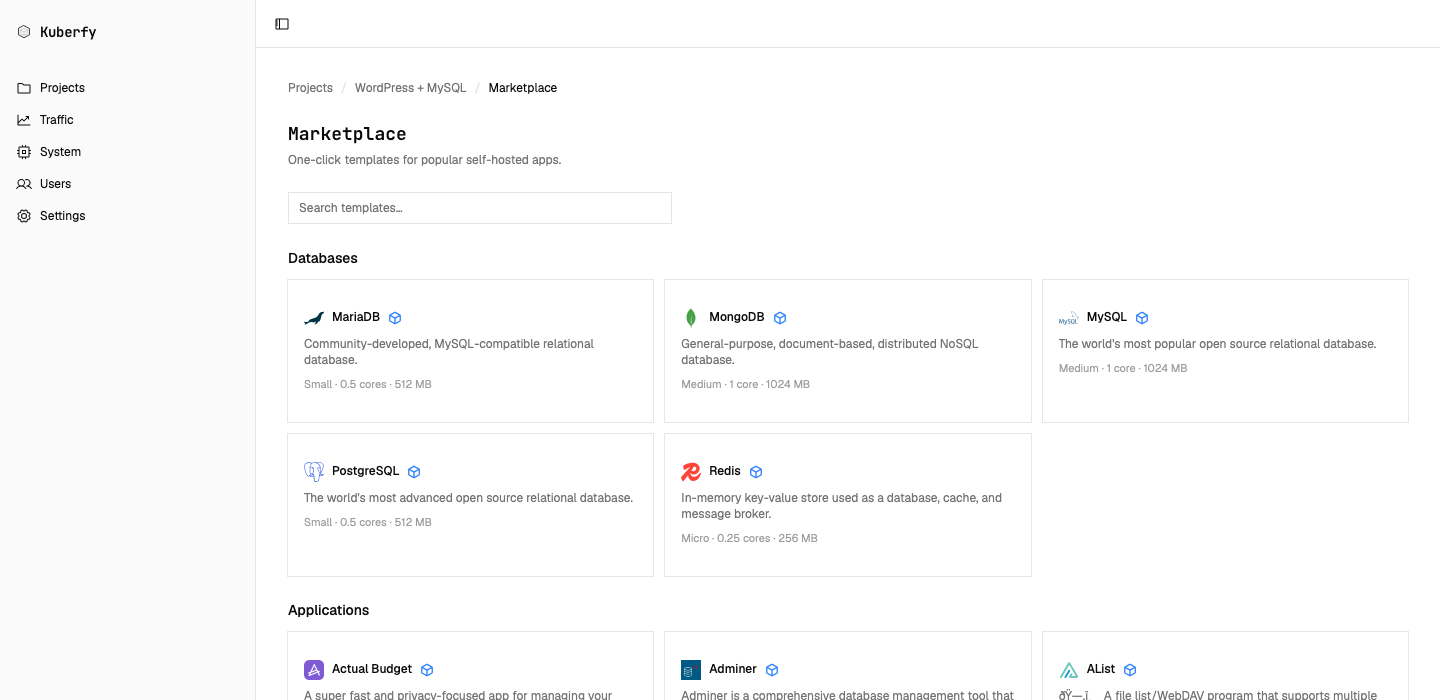
Deploying a Template
- Open a project and go to Marketplace.
- Search or filter by tag, then select a template.
- Review the generated configuration: application name, image, internal port, and environment variables. Values marked as secrets (API keys, database passwords) are generated automatically — you can reveal or edit them before deploying.
- Click Deploy. Kuberfy creates the application, attaches any required volumes, and starts a normal image-based deployment — the same rolling update described in Deploying Applications.
What Gets Created
- Application: A standard image-based application (
buildType: "image"), editable afterward like any other. - Environment variables: Pre-filled from the template. Values flagged
secret: true(passwords, tokens) get a random value generated in the browser instead of a placeholder. - Volumes: Any paths the template declares (e.g. a database's data directory) are created and mounted automatically.
Updating the Template List
Templates are synced from upstream with bun run scripts/fetch-marketplace-templates.ts, which rewrites marketplace-templates.json after checking each candidate resolves to a single container. Run it and commit the result to pick up new or updated templates.